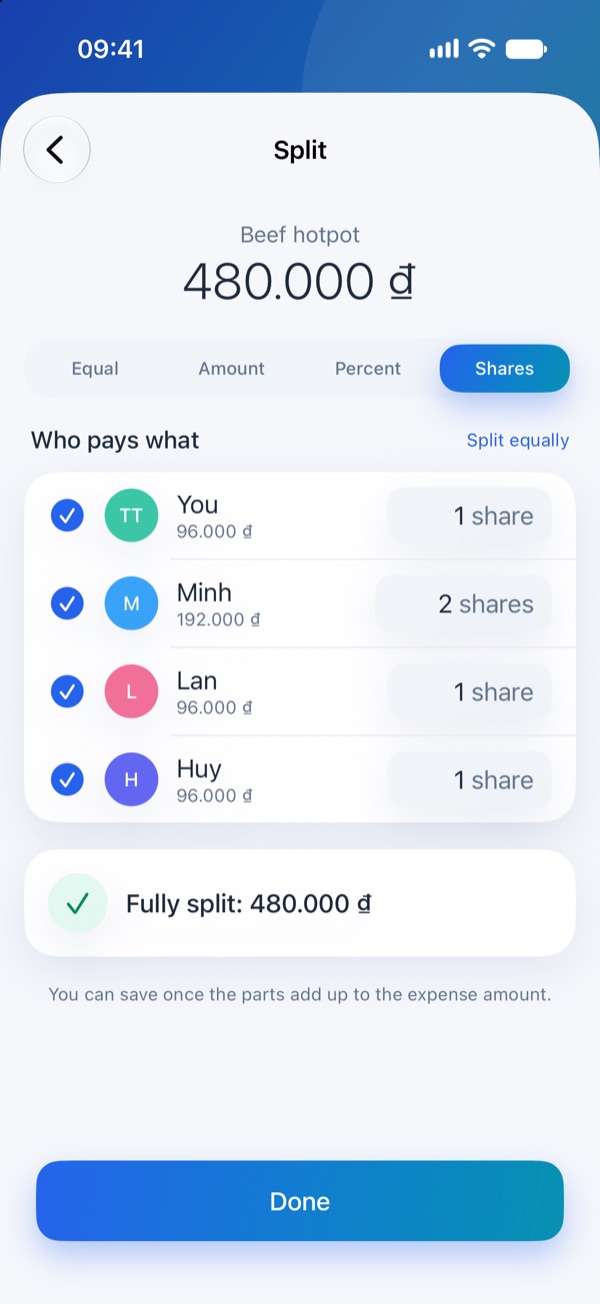
Four ways to split a bill
Each expense is split the way that fits it. WeShare works out everyone's part, and only saves once the parts add up to the bill.
Several people can pay for one expense, and it can be paid in a currency other than the group's: WeShare converts it at the day's rate.
- Equal
- Everyone pays the same.
- Amount
- Note exactly what each person spent.
- Percent
- Rent split by big and small rooms.
- Shares
- Whoever ate twice as much puts in two shares.
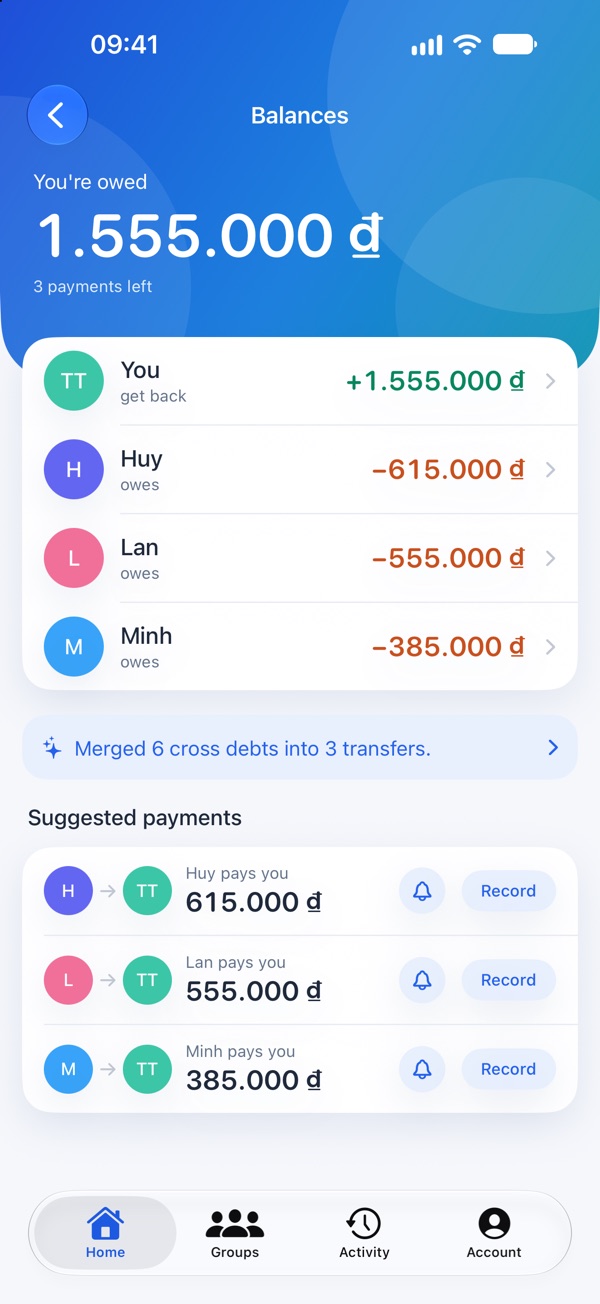
Who pays whom, in the fewest transfers
WeShare adds up every expense and payment in the group, then nets out the debts that cross, so everyone settles up in as few transfers as possible.
- Everyone's balance
- Who gets money back, who owes, and how much.
- Confirmed by the payee
- When someone records a payment, the person paid taps Received once the money arrives. Up to 3 photos of the transfer can go with it.
- Gentle reminders
- One tap on the bell nudges whoever still owes.
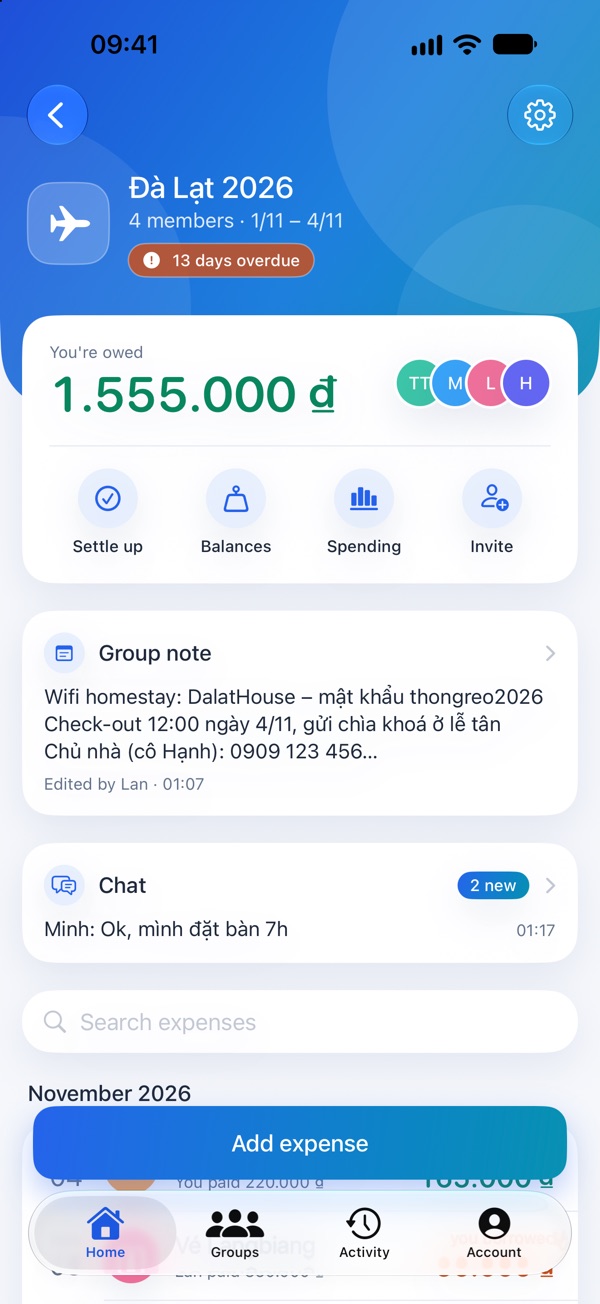
Talk it over right next to the expenses
The wifi password, check-out time, who booked the table: what the group needs to remember lives in the group, not lost in other chats.
- Group note
- One shared note anyone in the group can edit. Links and phone numbers open with a tap.
- Chat
- Message the group with up to 4 photos per message, with notifications. Report or block someone if you need to.
- Dates and reminders
- Set when the trip starts and ends. If it's over and not everyone has settled up, WeShare reminds whoever still owes or is owed until the group is square.
See where the group's money went
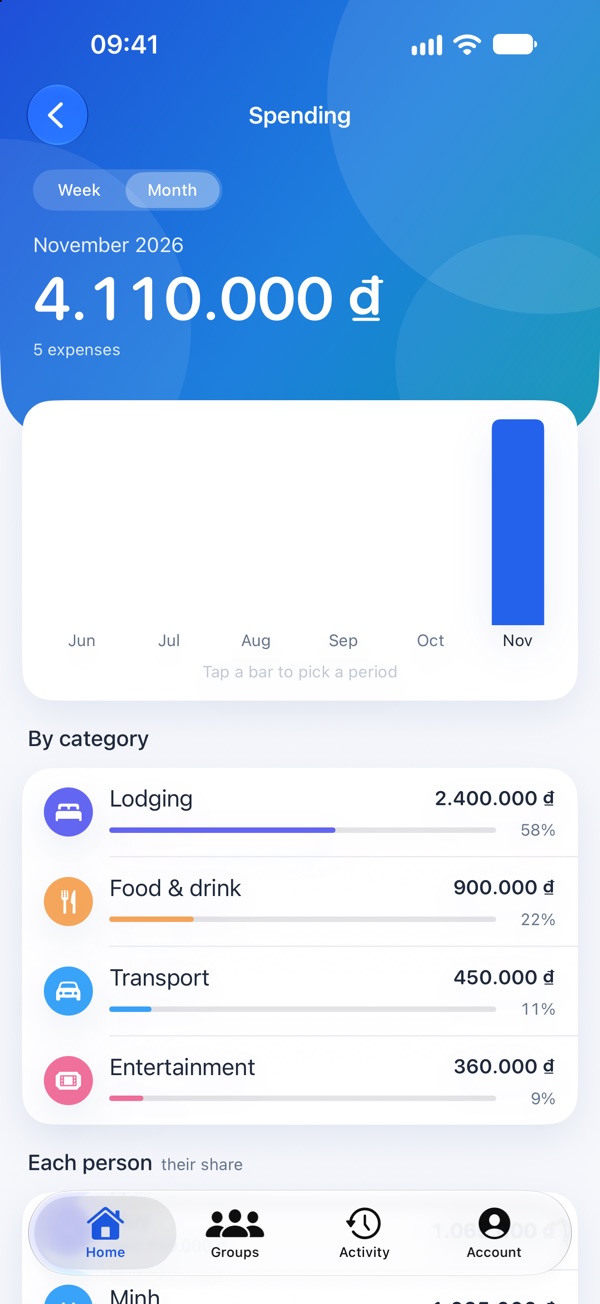
A weekly or monthly chart shows how much the group spent, on what, and who paid the most. Tap a bar to look at that period.
- By category
- Food, transport, lodging… or the group's own categories, each with its share.
- Each person
- What everyone's share came to in that period.
- Who paid most
- Who actually paid, and what share of the total each person put in.
Everything else a group needs
Live updates
When someone adds an expense, the whole group sees it at once, and whoever has a share gets a notification.
Receipt photos and comments
Attach a photo of the receipt and talk it over right under the expense.
152 currencies
Each group has its own currency. Abroad, note costs in the local one.
Friends and costs for two
See where you stand with each friend across every group, and split a cost between just the two of you without making a group.
Friends without the app
Add a friend to a group by name. Once they install the app and join, their past expenses move to their account.
Search
Find an expense by title, payer or amount, with or without Vietnamese accents.
30-day trash and edit history
Deleted an expense, a payment or a whole group by mistake? Restore it within 30 days. Each expense shows who changed what, and when.
50 color themes, 4 languages
Pick the app's colors. WeShare speaks Vietnamese, English, 简体中文 and 繁體中文.
Get started in three steps
Install the app
Install WeShare on your iPhone and sign in with Apple or Google.
Make a group and invite friends
Name it after the trip or the home, then send the invite link on Zalo or Messenger, or let friends scan the QR code.
Add expenses
Whenever someone pays, note it in seconds. At the end of the trip, WeShare shows who pays whom.
Questions
WeShare isn't on the App Store yet. How do I install it?
WeShare is in beta through TestFlight, Apple's own app for beta testing. Open the link on your iPhone, install TestFlight if asked, then install WeShare. Install WeShare with TestFlight
Is WeShare on Android?
Not yet. WeShare is only on iPhone, with iOS 18 or later.
Which languages does the app have?
Vietnamese, English, 简体中文 and 繁體中文; pick one on the sign-in screen or in the Account tab. Amounts and dates keep the Vietnamese style.
Do I lose my data when I change phones?
No. Your data lives on the server: sign in again with the same Apple or Google account and all your groups and expenses are there.
Where is my data stored?
On Amazon Web Services servers in Sydney, Australia. WeShare has no ads and no third-party tracking or analytics. Privacy Policy